 Cloud Insights
Note Cloud Insights are available in the Advanced Edition only.
Cloud Insights work the same way as Local Insights — you write SQL queries against your Jira data, run them, and create charts and visualisations from the results. The SQL editor, parameters, charts, database schema, and AI Assistant all work identically.
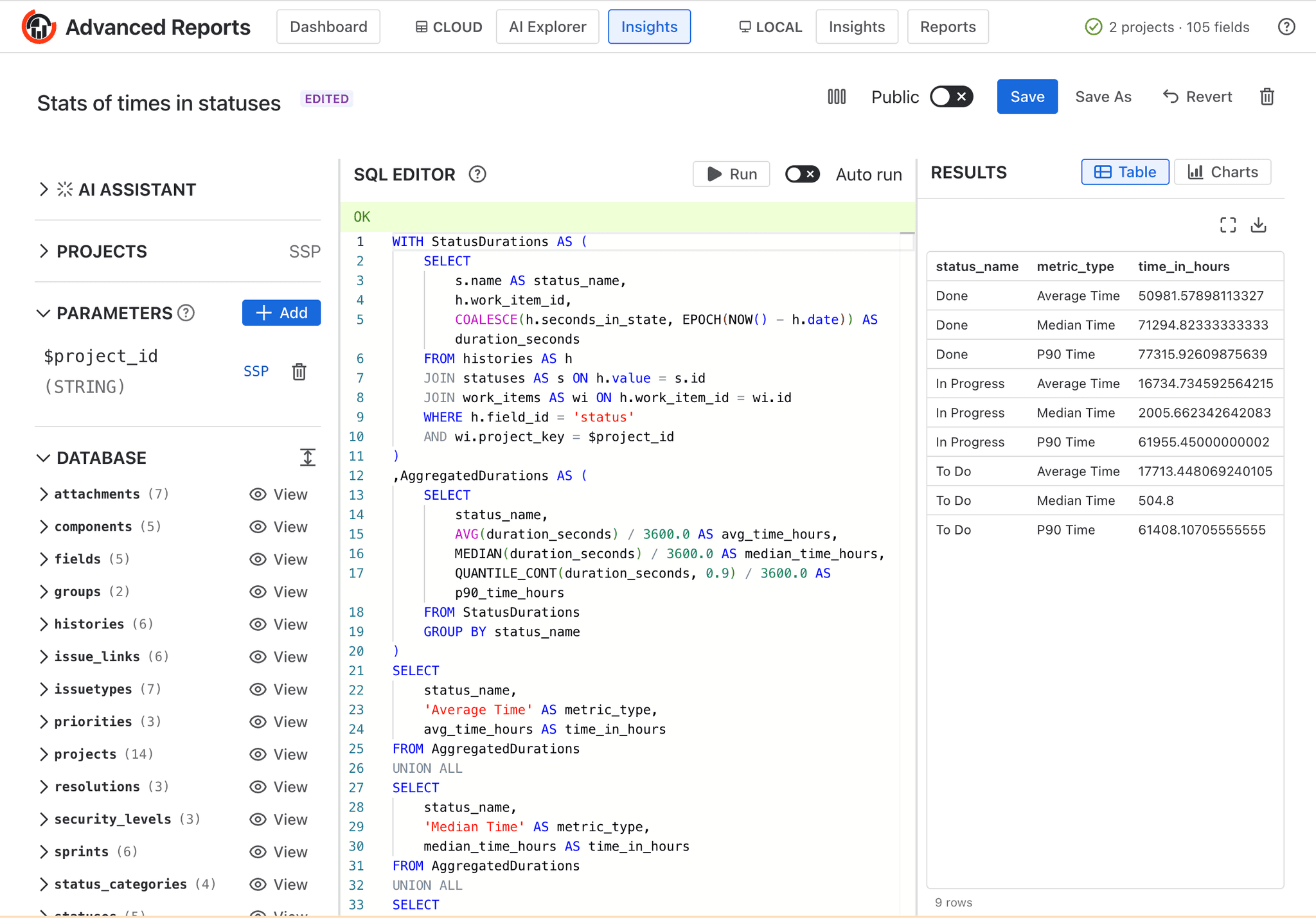
Cloud Insights SQL editor
Key difference: Projects selector
The main difference from Local Insights is how data is scoped:
- Local Insights use a Work Item Filter — you specify a JQL query, a saved Jira filter, or an Agile board or sprint to define which work items are loaded into the in-browser database.
- Cloud Insights use a Projects selector — instead of writing JQL, you simply select one or more of the projects that have already been synced to your cloud database. The data is always up-to-date thanks to background sync, so there is no per-session fetch delay.
This makes Cloud Insights significantly faster to run on large Jira instances, since the data is pre-synced and lives server-side.
When to use Cloud Insights vs Local Insights
| Cloud Insights | Local Insights | |
|---|---|---|
| Data scope | Select from synced projects | JQL / filter / board / sprint |
| Data sync | Background (automatic) | On demand (per session) |
| Scale | Large instances | Browser memory limited |
| Edition | Advanced only | Standard & Advanced |
For everything else — writing queries, using parameters, creating charts, and embedding results in Local Reports — refer to the Local Insights documentation, as the functionality is identical.